Virtual number
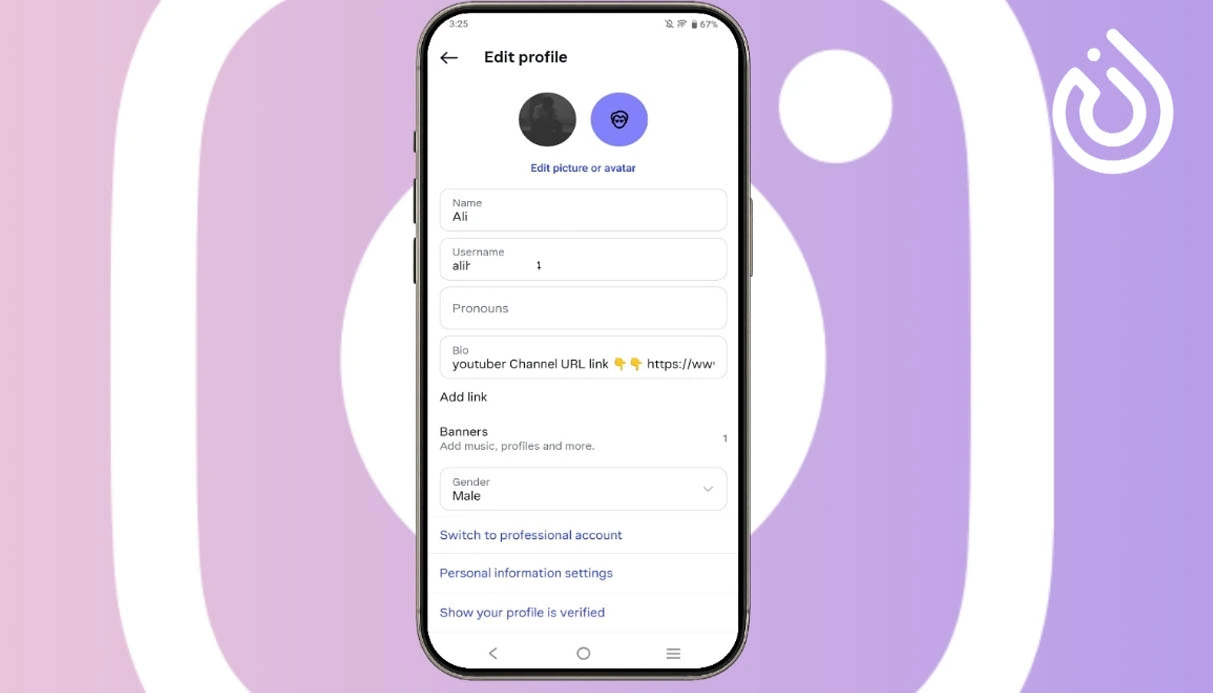

If you want to switch your Instagram account from a business profile back to a personal account, the process is very simple. Likewise, converting a personal Instagram page into a professional business account is also possible in just a few steps. Whether you own a business or simply want a more professional-looking profile, Instagram business accounts offer useful features that can help you grow your presence online.
In this guide, we’ll explain step-by-step how to change your Instagram account type easily.
Before starting, make sure your Instagram app is updated to the latest version and your account is set to public.
Follow these steps to switch to a business account:
Open the Instagram app and tap your profile picture in the bottom-right corner.
Go to Settings.
Scroll down to Your Insights and Tools.
Tap Account Type and Tools.
Select Switch to Professional Account.
Continue through the introduction screens by tapping Continue.
Choose a category that best describes your page, such as:
Personal Blog
Product/Service
Art
Creator
Shopping & Retail
Decide whether you want the category label to appear on your profile.
Add your business information such as:
Phone number
Email address
Business address
Tap Next and your Instagram business account is ready.
If you decide to remove your Instagram business account and return to a personal profile, follow these instructions:
Open Instagram and go to your profile.
Enter Settings.
Under For Professionals, tap Business Tools and Controls.
Select Switch Account Type.
Tap Switch to Personal Account.
Confirm your choice in the pop-up window.
Your account will instantly return to a personal Instagram profile.
Before changing your personal account into a business account, it’s helpful to understand the advantages Instagram business profiles offer.
One of the biggest benefits of a business account is access to Instagram Insights. This feature provides detailed analytics about your audience, engagement, and content performance. You can monitor daily, weekly, and monthly growth to improve your Instagram marketing strategy.
Business accounts organize direct messages into different tabs such as:
This helps you manage conversations and customer communication more efficiently.
Instagram business accounts also provide:
These tools make your Instagram page more professional and user-friendly.
In this article, we explained how to convert a personal Instagram account into a business account and how to switch a business account back to personal mode. Business profiles can help improve your brand visibility, provide useful analytics, and make communication with followers easier.
If you are planning to grow your online business, using a professional Instagram account alongside services like buy virtual number solutions can help you manage accounts more securely and efficiently. Many users also choose virtual number purchase services for easier Instagram verification and business account management.


Comments